




According to Okta's Business at Work report, large companies use an average of 231 SaaS applications. The majority of those systems are not in genuine communication with each other; data sits in one tool and is copied by hand into the next, or is simply never transferred at all.
This is where API integration matters, and why the question "what is API integration" has a more consequential answer than its deceptively simple definition suggests. API integration is the process of connecting two or more software systems through their application programming interfaces so that data and actions pass between them automatically, without manual entry. The principle is easy to state. The cost of getting it wrong is not.
Most explanations of API integration stop at the definition and a generic list of API integration benefits. This guide goes further. It covers what API integration actually is, the five specific points that determine whether an integration project succeeds or quietly fails, what a disciplined API integration process looks like across all five stages, and the version of this problem most businesses encounter first: crm API integration.
What is API Integration?
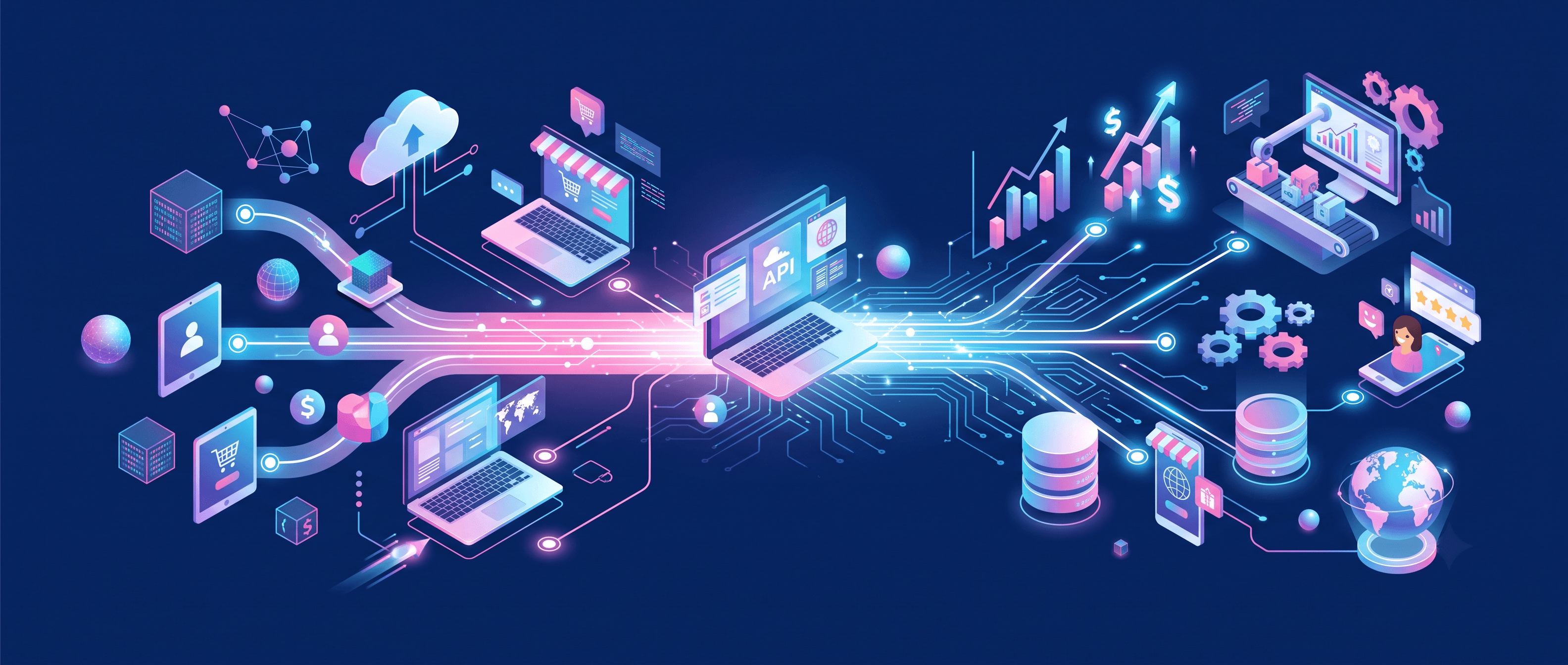
API integration connects two or more software applications through their APIs (Application Programming Interfaces) so that data and actions flow between them automatically. A software API integration allows a CRM, ERP, billing platform, or custom application to read from and write to another system in real time or on a defined schedule, rather than requiring a person to copy records between tools.
In practice, this means:
An API is a defined set of rules that lets one software system ask another for data or actions. An API integration uses those rules to wire systems together: a customer fills out a sign-up form and a lead appears in the CRM. A deal closes in the CRM, an invoice is generated in billing, and a welcome email goes out in the marketing platform. None of this requires a person to open three different tools and copy the same record three times which is exactly what happens by default in any business stack without integration solutions.
Software API integration is not one-size-fits-all. Complexity ranges from a basic one-way trigger; a new sign-up creates a CRM record to bidirectional synchronisation where a change in any connected system updates the others in real time. How complex the integration needs to be depends entirely on what the business is automating. The most common early mistake is either over-engineering a simple connection or treating a complex architecture problem as a simple one. Business API integration decisions should start from that question, not from a particular API integration solution a vendor happens to sell.
Why API Integration Matters for Businesses
The Okta Business at Work report documents that large companies run an average of 231 SaaS applications. Most of those systems are not exchanging data. Every application that holds records a neighbouring system cannot read creates a data silo: decisions made on incomplete data, manual reconciliation work that grows with headcount, and AI or reporting features that produce confident output from inconsistent inputs.
What the business case rests on is this: a disconnected stack makes every downstream capability harder. Sales, retention, and AI features all read from the same data. When that data disagrees across systems, it produces wrong answers in more places than the broken integration alone would suggest. That is the real cost of not investing in API integration solutions measurable in reconciliation hours, duplicate records, and AI tools running on incomplete inputs.
Five Points That Determine Whether an API Integration Will Work
These are not abstract risks. They are specific, recurring situations in which API integration projects either succeed or begin to quietly fail and each comes with a question that should be asked before signing a contract, not six months into production.
1. The integration works until one system updates
Everything runs correctly for months. Then a vendor releases an API update, a field is renamed, or an authentication method is deprecated, and the integration fails silently. You find out when a customer says their order never synced, or when someone notices the CRM has had no leads for a fortnight.Two systems wired directly together, with no abstraction layer, are brittle by design. Every additional connection makes the next break worse.
Ask: "What happens to this integration when either vendor ships a breaking change? Show me the monitoring and alerting for exactly that scenario."
2. Nobody mapped the data before writing code
Three weeks into the integration project, you find that "Company Name" in the CRM and "Account Name" in billing are not the same field, and were never the same field. Now you have duplicates, and two systems that each believe they are correct.A week of data mapping before any code is written saves a month of reconciliation later. It is the most consistently skipped stage and the most expensive one to skip.
Ask: "Before a line of code, show me the field-by-field map. What happens when a field exists in one system and not the other?"
3. The integration was designed for today's stack
It handles the two systems it was built for. Then a third tool arrives, then a fourth, and each new connection is built from nothing because the original architecture never anticipated a third system.Point-to-point connections multiply. Every system added increases the number of required links faster than it increases the number of systems, and past a handful the result is unmaintainable.
Ask: "Does this architecture extend, or do we rebuild next year when two more systems arrive? Show me point-to-point against an API-led approach for our specific stack."
4. Security was rushed to hit a date
The integration moves customer or financial data, and authentication was assembled the week before launch using whatever was quickest permissions scoped too broadly and never reviewed since.
OAuth 2.0 and JWT exist because older authentication approaches leak. A build under deadline pressure is exactly where the older approaches get used.
Ask: "Which authentication method are you using and why that one? Who can see the data passing through it, and how often is that access reviewed?"
5. A legacy system was treated as a detail
The CRM, the billing platform, and the marketing tool all have modern APIs. The twelve-year-old internal system that runs a core part of the business does not and that is discovered halfway through the project.
Legacy systems usually need middleware or a custom connector. That is a scoping decision, not a mid-build surprise.
Ask: "Which systems in our stack do not have a modern REST API, what specifically is the plan for those, and is that work inside this quote?"
CRM API Integration: Where Most Businesses Hit This First
The CRM is almost always the first system a growing company tries to connect to something else, because it sits next to everything: email marketing, billing, support, e-commerce.
The choice is usually between the CRM vendor's own native connector which installs in an afternoon and does only what it does and a custom crm API integration against the CRM's own API, which takes real engineering and connects to anything. The right answer depends on how many systems will attach to the CRM over the next two years and how specific those connections need to be. It does not depend on which option is better.
The reason CRM API integration is worth getting right is that CRM data is what every downstream sales, retention, and AI capability reads from. A model or a scoring rule running on records that disagree across three systems will produce confident, wrong answers.
What a Disciplined API Integration Process Looks Like
Every one of the five failures above traces to a stage that was skipped or rushed.
Discovery and data mapping. Inventory the systems, document the data in each, and map field to field before writing code.
Architecture decision. Point-to-point, API-led with system, process, and experience layers, or a unified API approach chosen on how many systems will connect over time rather than how many connect today.
Authentication and security design. Method, scope, and data handling defined per connection, with sensitive fields identified rather than assumed safe.
Build and test. Including explicit handling for timeouts, malformed responses, and vendor-side failures.
Monitoring and maintenance. Alerting that fires before a customer notices, and a named owner for what happens when not if an external API changes.
Most providers of API integration services are genuinely competent at stage four. Far fewer are disciplined at stages one, three, and five. That is the whole explanation for why so many integrations launch successfully and then decay through their first year. The build is the visible 20 percent of the work. Planning and maintenance are the 80 percent that determines whether the integration is still working in two years.
Where Chirpn Sits
Most providers can connect two systems. Fewer design the connection for the moment a third arrives, or a vendor changes authentication without notice, or volume grows past what the original design assumed.
Our API integration services cover MuleSoft and Talend for enterprise platforms, and custom connectors where a client's legacy systems or data requirements fall outside what a packaged product handles. AutoPATH, our AI-orchestrated delivery framework, compresses specification and architecture design the stages most vendors rush in order to reach the build. The point is not that planning happens faster. It is that planning actually happens.
Monitoring and security tooling are configured from day one rather than added after the first incident, and support is scoped so that someone is still watching the integration on day 91 and day 365.
Proof: Roar Sports Sports Venue Booking and Resource Availability APIs
Roar Sports needed a set of APIs capable of integrating simultaneously with ten distinct sports booking aggregators, exposing real-time availability of venue resources, pitches, grounds, and equipment and enabling near-real-time slot blocking and unblocking for efficient booking management.The architectural challenge was not the initial connections, which are the easy part. It was building an abstraction layer robust enough to handle ten different aggregator schemas without point-to-point brittleness, and a governance framework capable of managing API versions across all of them so that a version update from any one aggregator did not break the others.
Chirpn delivered a Sports Venue Management product anchored by APIs exposed through an AWS API Gateway, providing secure and standardised communication between the venue management system, point-of-sale systems at sports venues, and all ten aggregators. A framework for API governance was established to manage versioning, authentication, and schema transitions cleanly.
The result: ten sports aggregators were able to provide real-time resource availability data to their end users. Booking processes at sports venues were simplified, and the governance framework meant that subsequent API version changes, the kind that most integrations handle badly, were managed as planned transitions rather than incidents.
Proof: US Medical Billing Provider EHR and Billing System Integration
A prominent medical billing company in the United States needed to integrate a custom billing automation system with a range of Electronic Health Records (EHR) systems and billing solutions, while maintaining compliance with the FHIR standard, the healthcare data interoperability specification that governs how clinical records move between systems.
The complexity was not in connecting two systems but in standardising interactions across a diverse and expanding set of EHR and billing platforms, so that new systems could be onboarded rapidly without bespoke integration work each time.
Chirpn implemented FHIR-standard APIs using the FHIR store as the backend infrastructure for the billing automation system. A subset of billing APIs was configured and managed through Google Cloud Endpoints, providing a standardized gateway for data exchange with EHRs and billing systems. This combination enabled rapid onboarding of new systems into the integration without rebuilding the architecture for each addition which is precisely what point-to-point integrations require.
The outcome: the medical billing provider achieved FHIR compliance across its integration surface, reduced the time required to onboard new EHR or billing systems, and maintained that compliance at scale as its system connections grew.
Where we are not the right answer: if you need two modern SaaS tools connected in one direction and nothing more is coming, a native connector or an off-the-shelf automation platform will do it in an afternoon for a fraction of the cost, and you should use one. Our work earns its keep when there are multiple systems, at least one of them legacy, and a real cost to records disagreeing.
The Point
API integration is the difference between a stack of applications and a system. Defining it is easy, and every vendor can do the build. What separates an integration still working in year three is discipline at the three stages: mapping the data before coding, designing security deliberately, and monitoring for the failure before a customer finds it.Ask the five questions above before you sign anything, including with us.
Frequently Asked Questions
What is API integration?
Connecting two or more software systems through their APIs so that data and actions pass between them automatically. When someone fills in a form on your site and the record appears in your CRM without anyone copying it, that is an API integration. It is the mechanism that lets a modern business run its tools as a unified system rather than a collection of isolated applications.
What are the API integration benefits for a business?
Manual data entry disappears, departmental data silos close, decisions run on current data rather than last week's export, and AI or automation features become viable because they finally have consistent inputs. The last one is increasingly the reason business API integration projects get funded: most AI capability fails on data quality rather than on the model itself.
How should an API integration process be scoped?
In five stages: discovery and data mapping, architecture decision, authentication and security design, build and test with explicit error handling, then monitoring and maintenance. Stages one, three, and five are the ones most often compressed and they are the ones that determine whether the integration survives its first year. Evaluate any provider of API integration solutions against all five, not just the build.
How is CRM API integration different from integration generally?
The mechanics are the same. What differs is the stakes and the sensitivity. CRM data feeds sales, retention, and any AI capability built on customer records, so inconsistency there produces wrong answers in more places than a back-office integration would. It is also usually a company's first integration, which means it is often built before anyone has decided on an architecture.
What does bad API integration actually cost?
Rarely a single visible number. It shows up as duplicate customer records, hours of manual reconciliation that grow with headcount instead of shrinking, and AI or reporting tools producing confident output from incomplete data. The cost is distributed across several budgets which is precisely why it goes unaddressed for years.